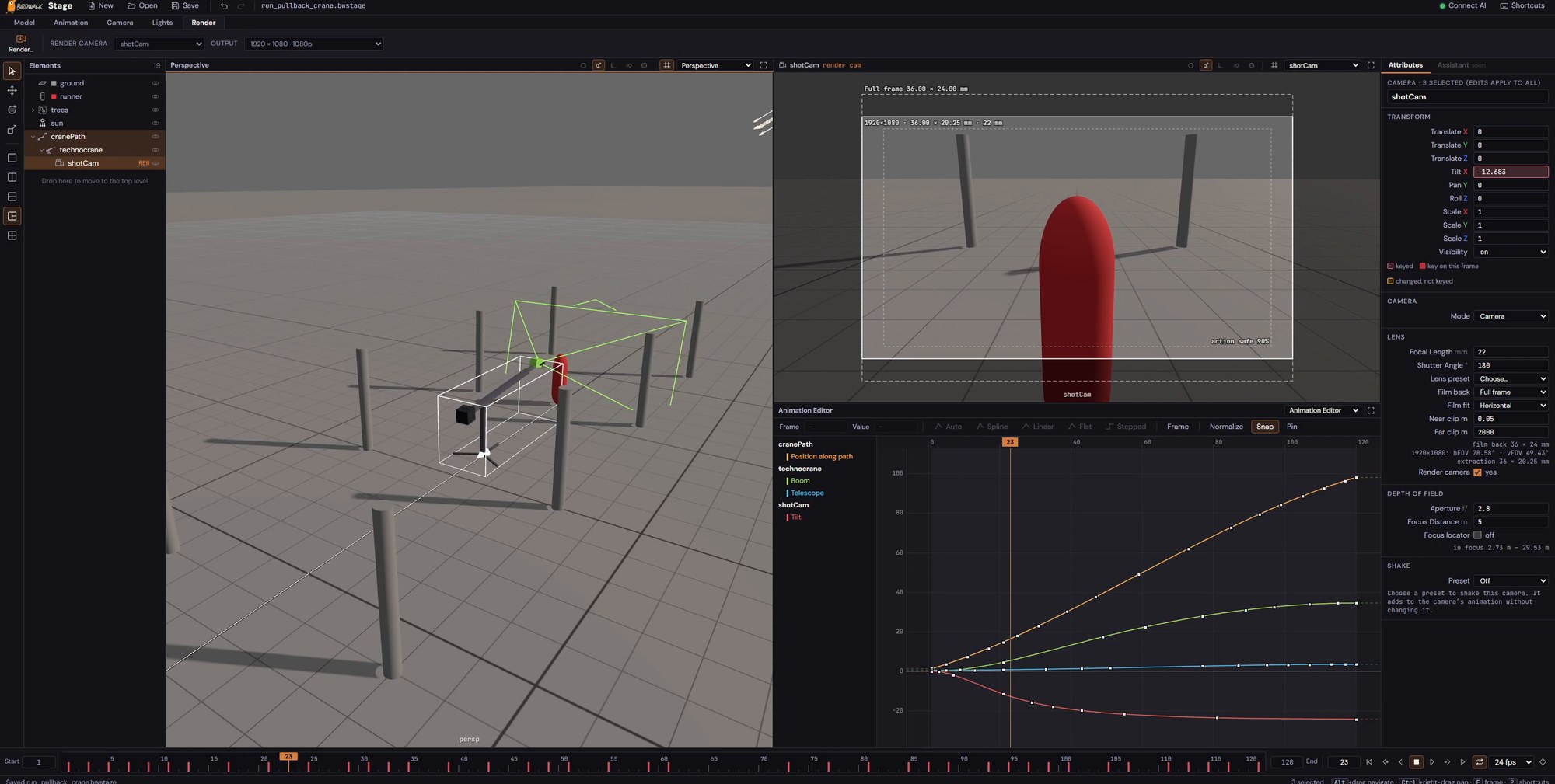
Stage is a 3D previs studio inside Birdwalk. Build a set from simple shapes, then film it with as many cameras and grip rigs as you need — dollies, jibs, cranes and camera-car arms. Use the renders as guides for your video and image shots.
Connect AI
Bring the AI you already use.
Ask Claude, ChatGPT or another AI app to connect to Birdwalk, and sign in with your Birdwalk account — there's no key to copy. Your AI can read your projects, shots and assets, draft new work for you to review, and work in Stage while you have it open. It never spends credits or deletes anything.
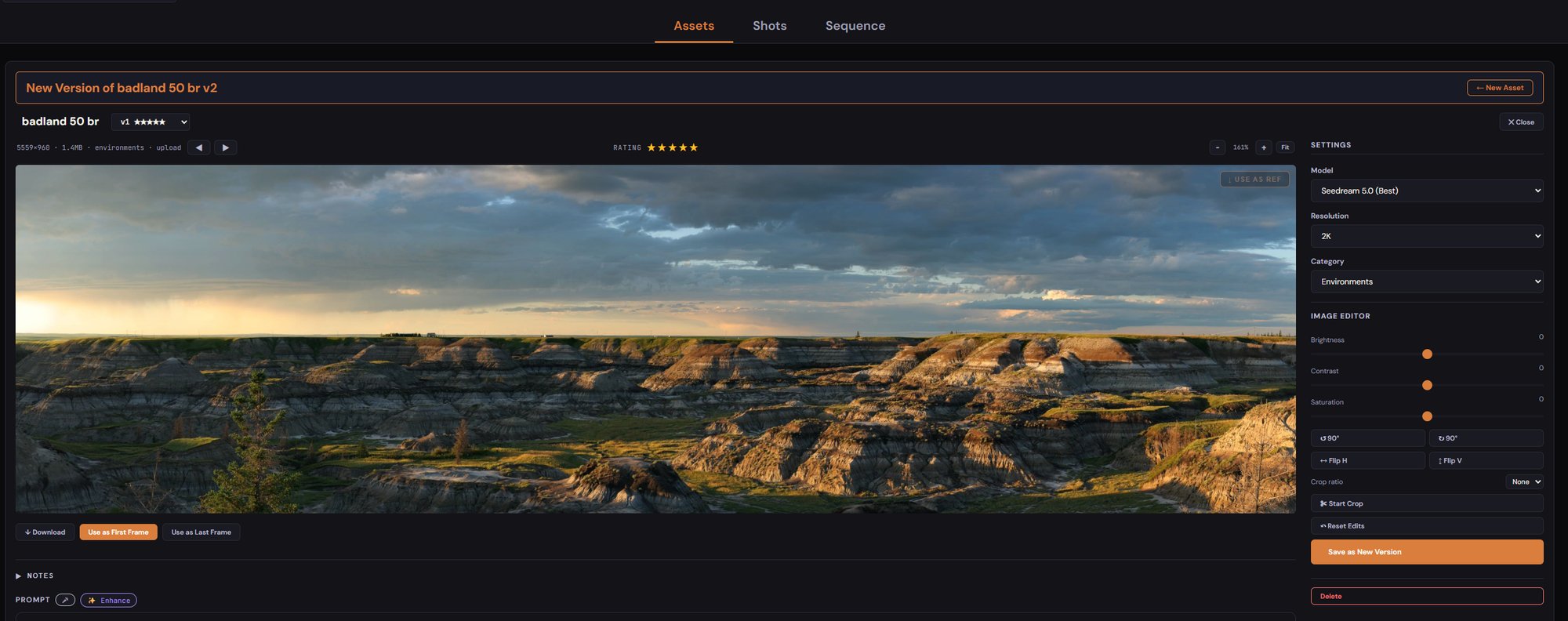
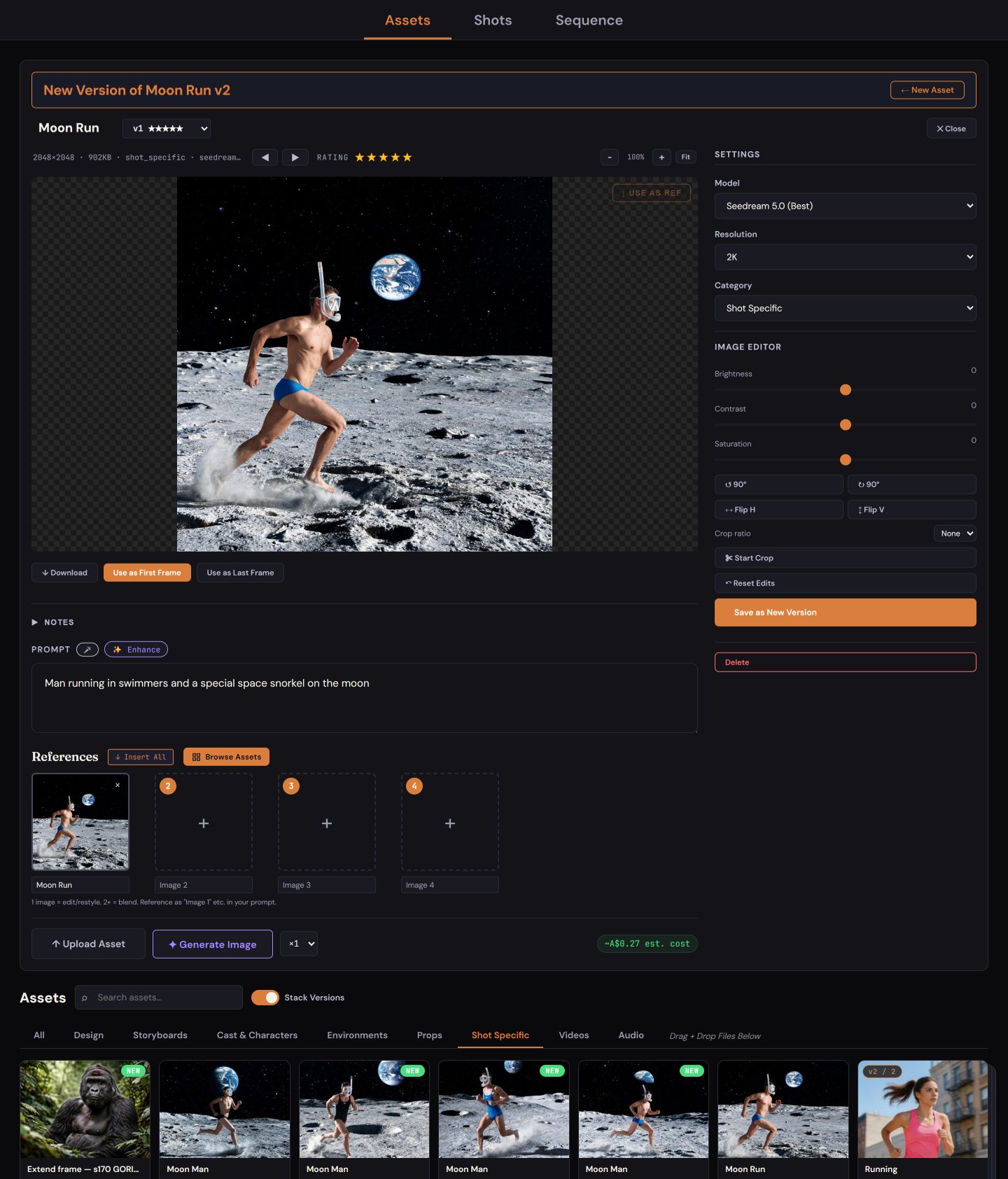
AI image generation and editing with built-in colour, crop and rotate tools.
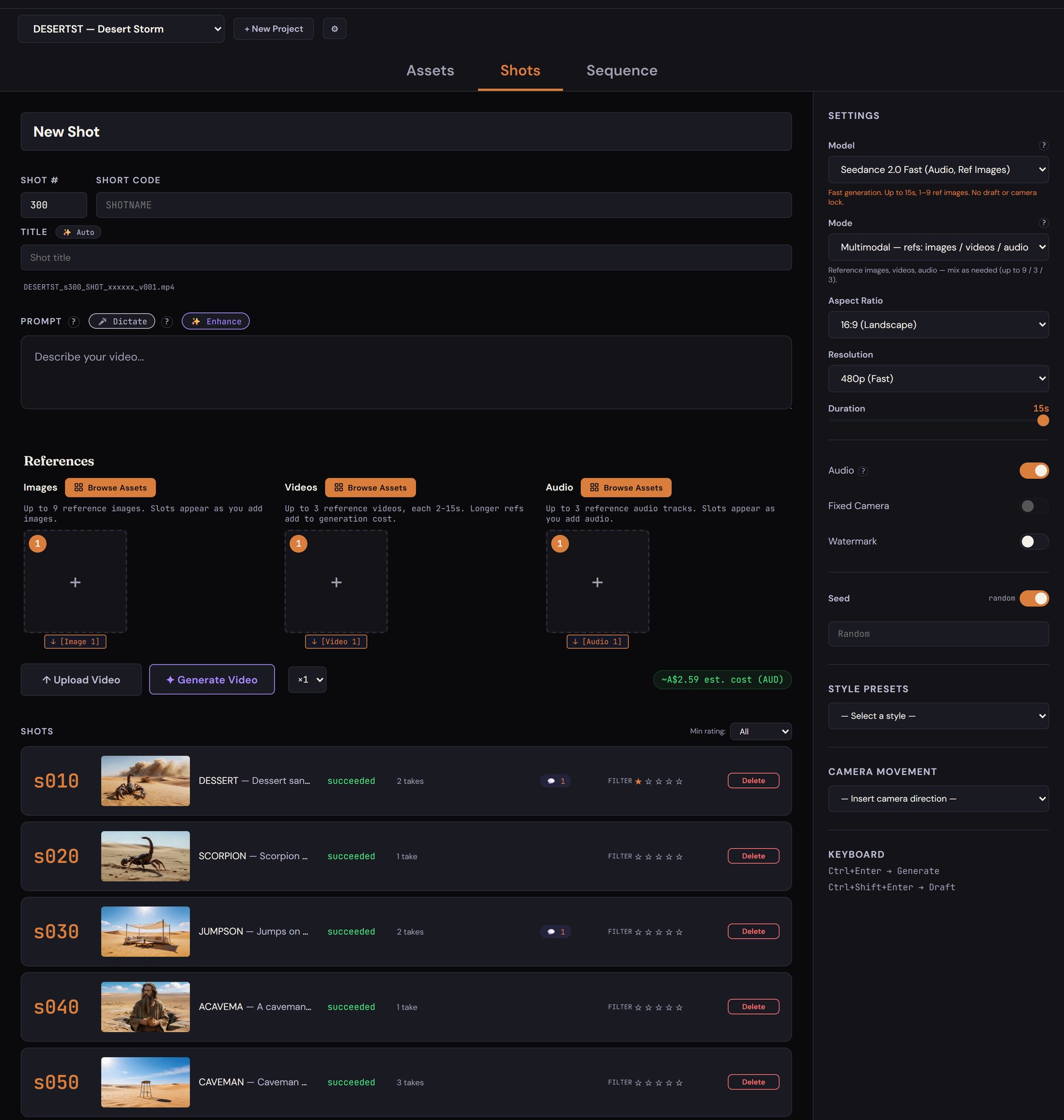
An intuitive interface with automatic versioning.
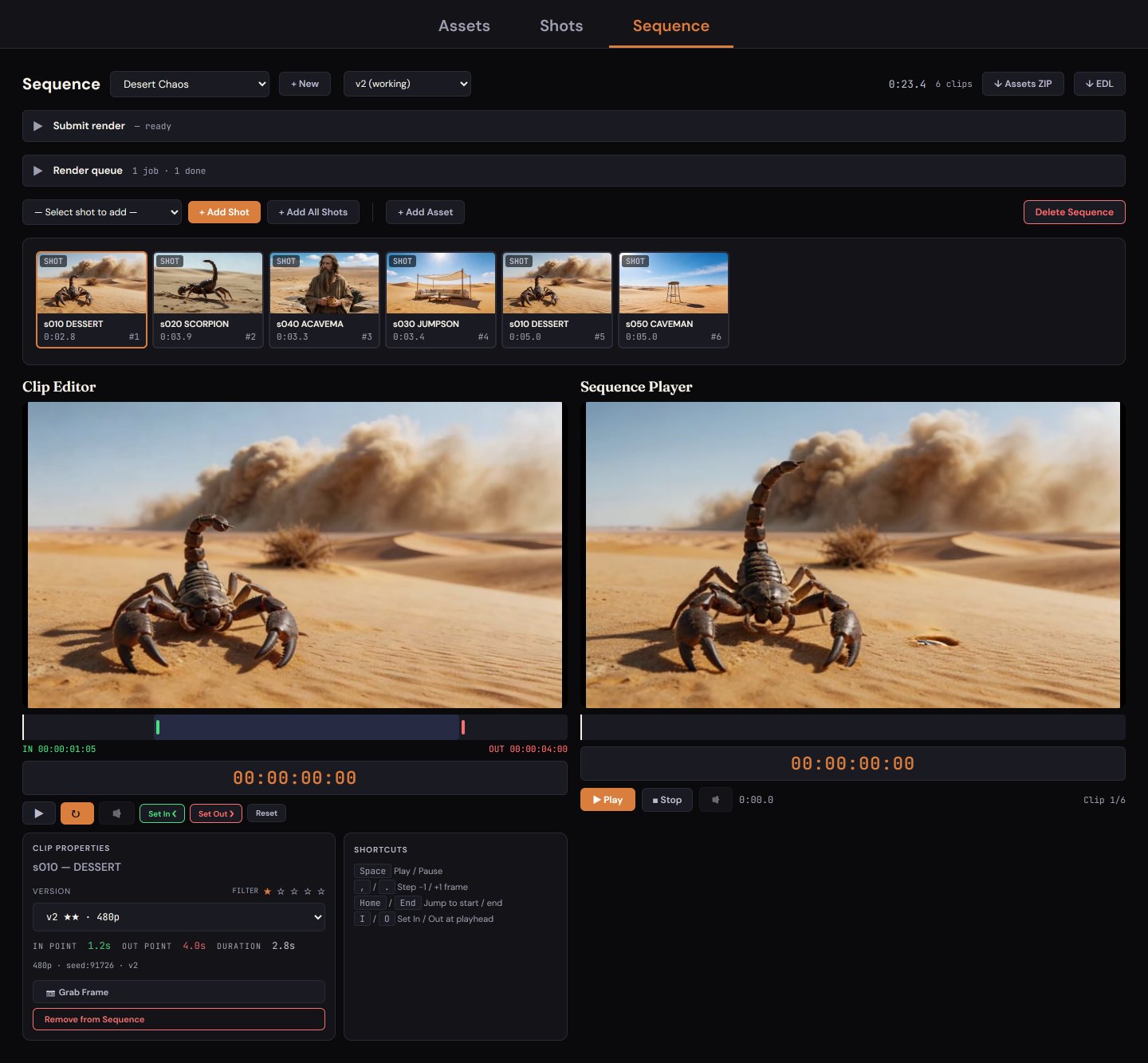
Easily generate and manage shots.
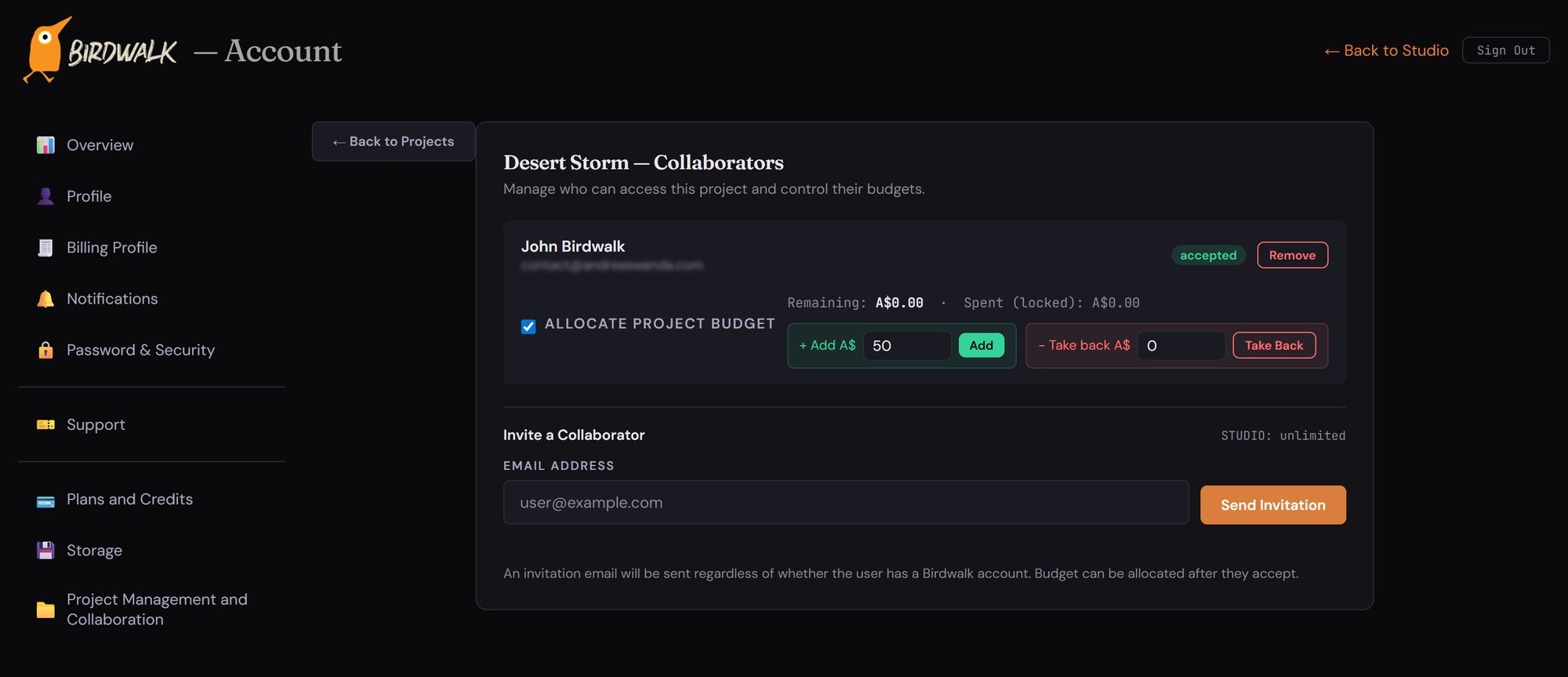
Invite team members to a project and collaborate with the same assets and shots.
Questions, partnership ideas, or feedback — drop us a line and we'll reply from hello@birdwalk.ai.
Privacy Policy
Last updated · 15 May 2026
Birdwalk is operated by Birdwalk Pty Ltd ("we", "us", "our"), a company registered in Australia. This policy describes how we collect, use, store, and disclose your personal information when you visit this site or use the Birdwalk platform at studio.birdwalk.ai. It is provided in accordance with the Australian Privacy Act 1988 (Cth) and the Australian Privacy Principles.
Information we collect
Account information. When you create a Birdwalk account, we collect your email address, your chosen display name, and a securely hashed version of your password. If you sign in with a third-party identity provider, we receive the email address and basic profile information that provider shares with us.
Billing information. When you subscribe to a paid plan or purchase additional credits, payments are processed by our payment provider (Stripe). We do not see or store your full card number. We retain a record of your transactions, plan, and credit ledger for accounting and to operate the service.
Content you create. We store the images, video, audio, prompts, projects, scenes, sequences, and other content you upload or generate on the platform, along with associated metadata (titles, captions, version history, project membership).
Usage data. We log technical information needed to operate and secure the service, including IP address, browser/user-agent, timestamps, request URLs, model invocations, credit consumption, and error diagnostics.
Communications. If you contact us, we retain a copy of the correspondence and your contact details so we can respond and follow up.
How we use your information
We use the information above to: provide and improve the Birdwalk platform; authenticate your account; process payments and apply plan credits; generate, store, and version your content; send transactional emails (sign-up confirmations, password resets, billing receipts, service notices); detect and prevent fraud, abuse, and security incidents; comply with our legal obligations; and respond to your enquiries.
We do not sell your personal information. We do not use your generated content or prompts to train AI models, and we do not provide them to third parties for that purpose.
Third-party processors
We rely on a small number of trusted third-party providers to operate the platform. Each is bound by their own privacy and security obligations:
Payment processing: Stripe handles card payments and subscription billing.
Transactional email: Resend delivers account, billing, and service emails on our behalf.
Cloud hosting and storage: Application servers run on DigitalOcean infrastructure; uploaded and generated content is stored in DigitalOcean Spaces object storage.
AI model providers: When you submit a prompt or upload an asset for AI processing, we send the necessary input data to the relevant third-party model provider so that the requested image, video, or other output can be generated and returned. Different features use different providers; outputs are stored in your Birdwalk account.
Some of these providers process data outside Australia. By using Birdwalk you consent to your information being transferred to and processed in those jurisdictions, subject to the protections described in this policy.
Cookies and sessions
We use a small number of strictly necessary cookies and similar technologies to keep you signed in, maintain your session, and remember basic preferences. We do not use third-party advertising or cross-site tracking cookies.
Data retention
We retain your account, content, and billing records for as long as your account is active. If you cancel your subscription, your account enters a grace window during which your content is preserved and you can re-subscribe to restore access; if you do not re-subscribe within that window, your content becomes inaccessible. We retain certain account records (such as billing history and minimal identifiers) after closure to comply with tax, accounting, and anti-abuse obligations. Operational logs are retained only as long as needed for security and diagnostics.
Security
We protect your information with industry-standard measures including TLS in transit, encryption at rest for stored content, hashed passwords, role-based internal access controls, and audited backups. No system is perfectly secure; if we become aware of a data breach likely to result in serious harm, we will notify affected users and the Office of the Australian Information Commissioner (OAIC) in accordance with the Notifiable Data Breaches scheme.
Your rights
You can request access to, correction of, or deletion of your personal information at any time by emailing hello@birdwalk.ai. We will respond within a reasonable period. If you believe we have mishandled your personal information you may complain to the OAIC at oaic.gov.au.
Children
Birdwalk is not directed to children under 16. We do not knowingly collect personal information from anyone under 16. If you believe a child has provided us with personal information, please contact us and we will delete it.
Changes to this policy
We may update this policy from time to time. Material changes will be communicated by email or by an in-app notice. The "Last updated" date at the top of this policy reflects the most recent revision.
Contact
Questions about this policy, or requests under Australian privacy law: hello@birdwalk.ai.
Terms of Service
Last updated · 15 May 2026
These terms govern your use of the Birdwalk website at birdwalk.ai and the Birdwalk platform at studio.birdwalk.ai (together, the "Service"). The Service is provided by Birdwalk Pty Ltd ("Birdwalk", "we", "us"), a company registered in Australia. By creating an account or otherwise using the Service you agree to these terms.
Eligibility and accounts
You must be at least 16 years old and able to form a binding contract under Australian law to use the Service. You are responsible for the accuracy of the information you provide, for keeping your password confidential, and for everything that happens under your account. You must notify us promptly at hello@birdwalk.ai if you suspect unauthorised access.
Subscriptions, billing, and credits
Access to generative features requires an active paid subscription. Subscriptions are charged in advance on a recurring monthly basis at the price displayed at signup. Each subscription includes a monthly allowance of plan credits which are consumed as you use AI features; plan credits reset at the start of each billing period and do not roll over. You may purchase additional non-expiring top-up credits at any time from within the platform.
You may cancel your subscription at any time from your account settings. Cancellation takes effect at the end of the current billing period; you retain access and any unused plan credits until that period ends. We do not provide refunds for partial billing periods or unused plan credits except where required by Australian Consumer Law.
We may change pricing or plan structure from time to time. If we change the price of your current plan, we will give you reasonable notice by email before the change takes effect; you may cancel before the next renewal if you do not accept the new price.
Your content
You retain ownership of the prompts, uploads, and generated outputs associated with your account ("Your Content"), subject to any rights of underlying model providers or rights holders in source material you provide. You grant Birdwalk a non-exclusive, worldwide, royalty-free licence to host, store, process, transmit, and display Your Content solely as necessary to operate and improve the Service for you and people you collaborate with.
You are responsible for ensuring you have the rights to any material you upload (including reference images, audio, and likenesses) and that your use of generated outputs complies with applicable law and any third-party rights.
Acceptable use
You agree not to use the Service to create, store, or distribute content that is unlawful or that:
sexually exploits or endangers minors, or depicts child sexual abuse material in any form;
depicts non-consensual sexual content, or sexual content involving identifiable real people without their explicit consent;
impersonates a real person in a manner intended to defraud, defame, or deceive;
incites violence, hatred, or discrimination against a protected group, or facilitates serious harm to others;
infringes the intellectual-property, privacy, or other rights of others;
is used to develop, train, or benchmark competing AI generative-media services; or
attempts to circumvent rate limits, abuse the credit system, reverse-engineer the Service, or compromise its security.
We may, at our discretion, remove content, suspend, or terminate accounts that breach these rules, with or without prior notice depending on the severity. Where lawful and appropriate we will warn you first and give you the opportunity to remedy the breach.
Collaboration
Birdwalk supports project-based collaboration. Each collaborator on a paid project requires their own active paid subscription. Project owners control invitations and access; access can be revoked at any time. Content created within a shared project is associated with the project and remains accessible to other collaborators after your departure unless the project owner removes it.
Service availability and changes
The Service is provided on an "as is" and "as available" basis. We work hard to keep it reliable but do not guarantee that it will be uninterrupted or error-free. We may add, modify, suspend, or discontinue features at any time. Where a material adverse change affects a paid plan you have, we will give you reasonable notice.
Third-party services
The Service relies on third-party providers (including payment processors, email delivery, cloud hosting, and AI model providers). Their services are subject to their own terms; we are not responsible for their acts or omissions to the extent permitted by law.
Termination
You may cancel your subscription or close your account at any time. We may suspend or terminate your access if you materially breach these terms, fail to pay amounts due, or create risk for the Service or other users. On termination, your subscription benefits end and your content is handled in accordance with our Privacy Policy.
Disclaimers and limitation of liability
Nothing in these terms excludes, restricts, or modifies any rights you have under the Australian Consumer Law that cannot be lawfully excluded. Subject to that:
The Service is provided without warranties of any kind, express or implied, including merchantability, fitness for a particular purpose, accuracy of generated outputs, or non-infringement. Generative AI outputs may be inaccurate, offensive, biased, or unsuitable for your intended use; you are responsible for reviewing outputs before relying on them.
To the maximum extent permitted by law, Birdwalk's aggregate liability arising out of or in connection with the Service is limited to the amount you paid to us for the Service in the twelve (12) months preceding the event giving rise to the liability. We are not liable for indirect, incidental, consequential, special, or punitive damages, or for loss of profits, revenue, data, goodwill, or business opportunities, even if advised of the possibility.
Indemnity
You agree to indemnify and hold Birdwalk harmless from any claims, losses, damages, and expenses (including reasonable legal fees) arising out of your breach of these terms, your misuse of the Service, or your infringement of any third-party rights.
Intellectual property
The Birdwalk name, logo, design language, software, and site content (excluding Your Content) are owned by Birdwalk Pty Ltd or its licensors. We grant you a limited, revocable, non-transferable licence to access the Service for its intended purpose. All other rights are reserved.
Changes to these terms
We may update these terms from time to time. Material changes will be communicated by email or by an in-app notice at least 14 days before they take effect. Continued use of the Service after that date constitutes acceptance of the updated terms.
Governing law and jurisdiction
These terms are governed by the laws of New South Wales, Australia. The courts of New South Wales have non-exclusive jurisdiction over any dispute arising in connection with these terms.
Contact
Questions about these terms, or notices required to be given to us in writing: hello@birdwalk.ai.